Import Your CV
We extract your skills automatically
Already have a profile? Restore it
Preparing...
Estimating time...
Analyze any job posting
Paste a job description. We extract key details and what it really means.
Loading jobs...
Select a job to view details
Basics
Skills & Languages
Categorize your skills by proficiency level
Languages
Work Style
Work Mode Preferences
Select which work modes you're open to
Max Commute
One-way (per trip)
Travel Limits
Occasional meetings
Work Authorization
Indicate where you're authorized to work
Career Goals
Separate with commas
These keywords are used to find matching jobs in our database.
Your career journey with key achievements
No experiences yet
Analyze your CV to auto-populate
Create a Proof Card
Use ChatGPT/Claude to document your achievements
Copy the prompt below
Paste in ChatGPT or Claude
Answer the questions about your project
Paste the JSON output below
The prompt will be copied to your clipboard
Import Achievement
Paste the output from your AI conversation
No proof cards yet
Create your first proof of achievement
Select a CV to preview
What role are you targeting?
Select one or more roles to optimize for
Optional — leave empty for a balanced review
If you changed careers or have unrelated early experience
-
Loading jobs...
Job Description
Activity
Track your applications and activity
Applications
0March 2026
History
Your job posting analyses
Recent analyses
Online Presence
What recruiters see when they search for you
Accounts
These accounts will help refine your web reputation search.
Searching the web...
Perplexity search + Claude analysis
GitHub Audit
Analyze your developer profile
AI Analysis
 Chrome Extension
Analyze jobs
in seconds.
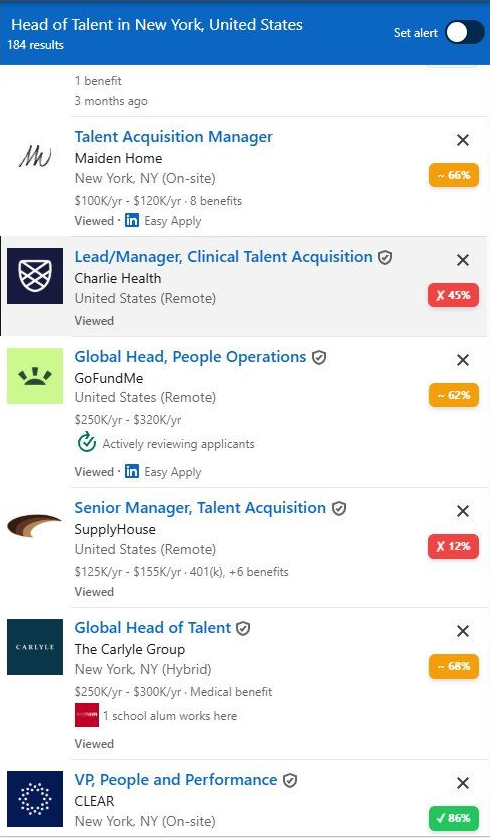
The extension adds a match score to every listing, right on your job sites. Works on any website.
Download Extension
Download from Google Chrome on your computer.
Download and Unzip
Download the ZIP file above and extract it to a folder of your choice.
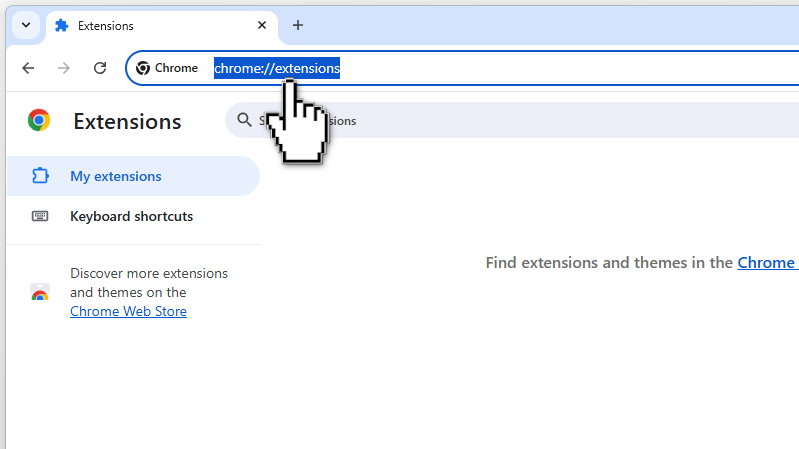
Open Extensions
Go to chrome://extensions in your browser.
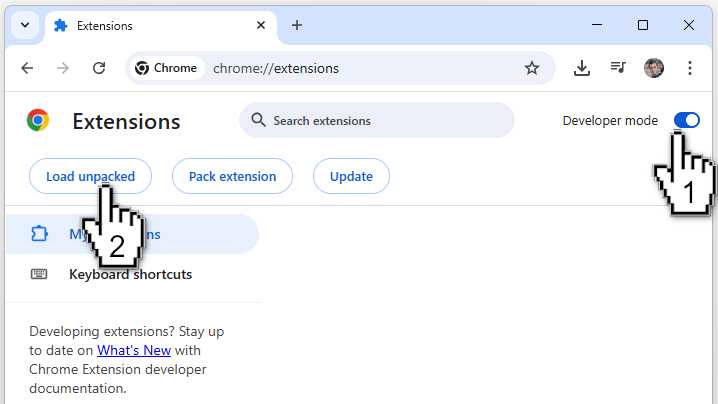
Developer Mode & Load
Enable "Developer mode" in the top right corner, then click "Load unpacked".
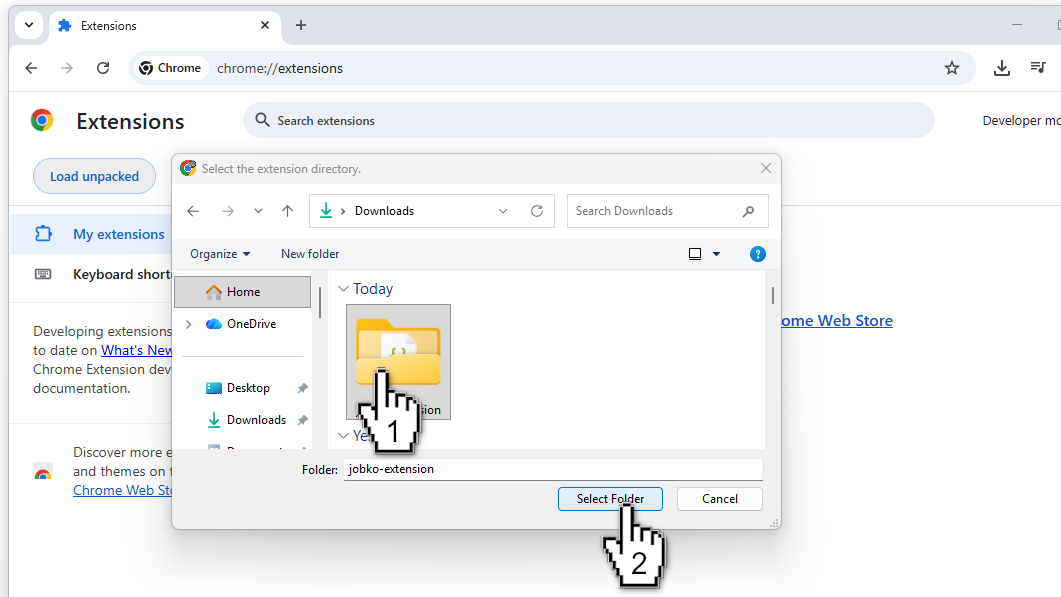
Select the Folder
Select the extracted folder containing the extension.
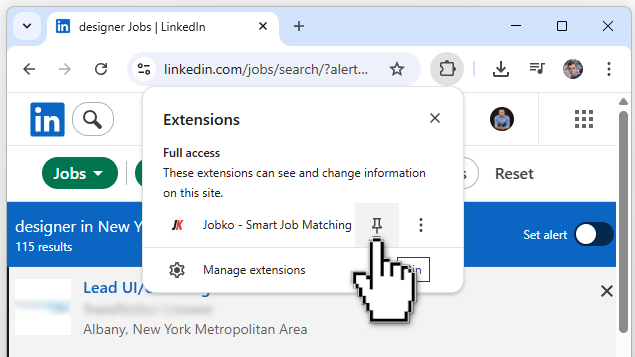
Pin the Extension
Pin the extension to your toolbar for easy access.
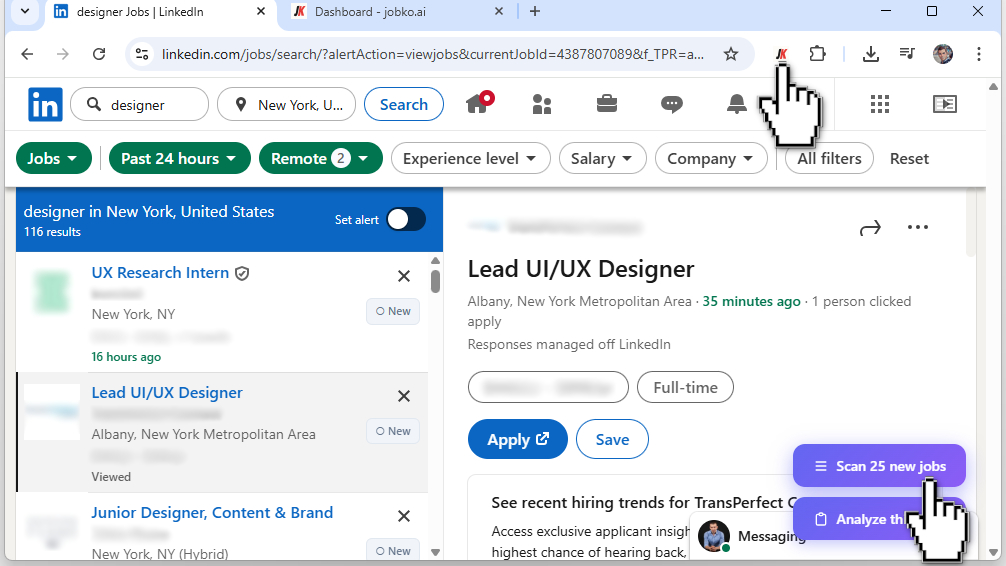
Scan Jobs
Choose to scan all visible jobs or just the selected one.
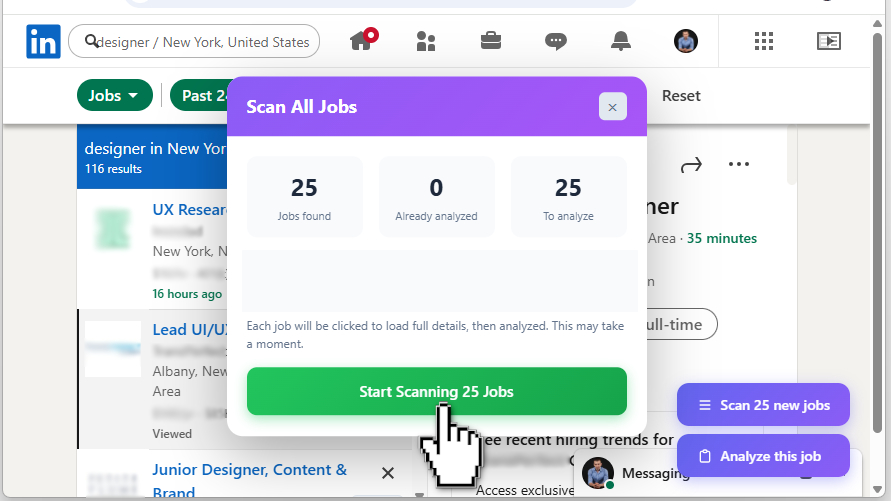
Launch Analysis
Launch the analysis for all listed jobs and get your results.
🎉 Congratulations! You can now analyze 25 jobs in under 2 minutes!
Your job search assistant,
right on Telegram.
Tell it what you're looking for. AI finds jobs, analyzes them, and alerts you — right in Telegram.
Scan with your phone
@jobko_openclaw_bot
My Account
Manage your settings and preferences
Guest Session
Guest mode
Your data is stored locally
Create an account to sync your profile and CVs across all your devices.
Actions
Feed
Tech news filtered by your skills
Coming Soon
Content aggregation from Hacker News, Product Hunt, GitHub Trending and more - filtered by your skills and interests.
Events
Meetups, conferences and CFPs near you
Coming Soon
Discover tech meetups, conferences and CFPs matching your profile and location.